
Your old in-house software still runs the business. How to replace it in stages
By Validure team · · 15 min read
A practical guide to replacing an ageing in-house system one piece at a time instead of a big-bang rewrite. A worked 16 lakh example, the strangler fig pattern explained for small firms, the data rule that stops double entry, and what to keep when you switch the old system off.
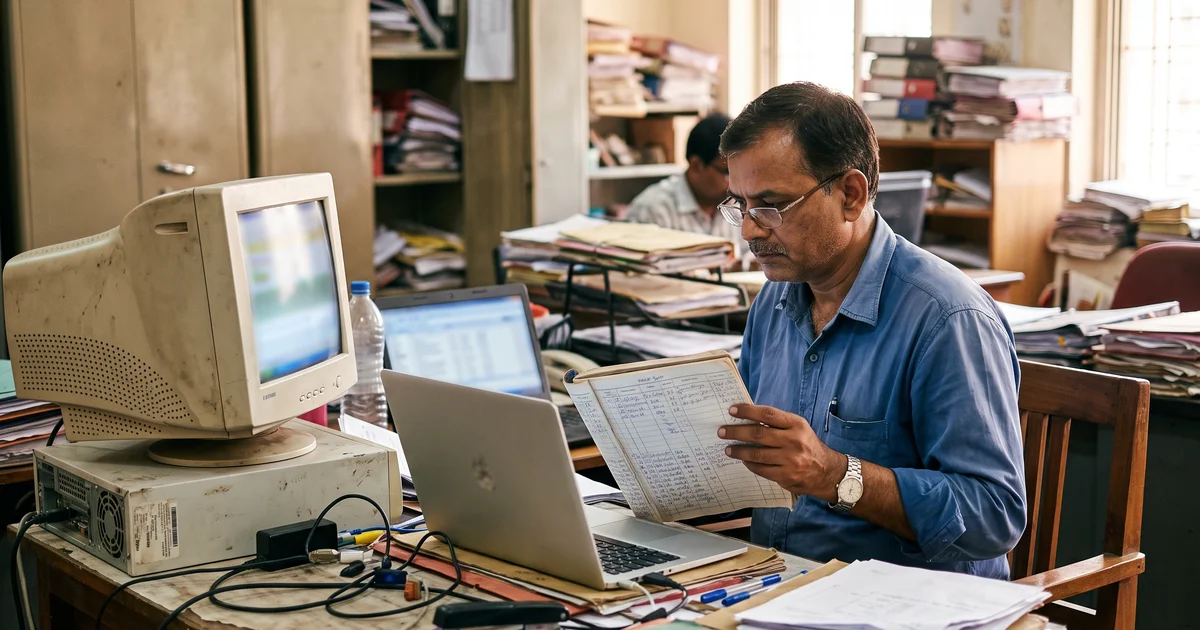
Say a 40-person spare-parts distributor runs on a desktop system a freelancer wrote in 2011. It does billing, stock, purchase orders and the customer ledger. It works, mostly. The freelancer has moved to Canada, the code is on one machine, and the only person who knows why the GST report needs to be run twice is the accounts head, who retires next year.
The owner gets a quote to rebuild the whole thing: 16 lakh, nine months, go-live on 1 April. It sounds clean. One date, one new system, the old one gone.
That plan is the one we'd talk most owners out of. Not because rewrites always fail, but because a single go-live date puts all the risk on one weekend, and you don't find out what the old system was quietly doing until the new one stops doing it. This post is about the other way: replacing the old system one job at a time, while the business keeps running on it. It's written for the owner who has to sign the cheque and for the developer who has to make it work.
Why the old system is harder to replace than it looks
Old business software is ugly in ways that are useful. That odd rounding rule on credit notes? Someone added it after an audit query in 2016. The report that has to be run twice? It probably works around a bug in how returns are posted. Joel Spolsky made this argument in his well-known 2000 essay on Netscape's decision to rewrite its browser from scratch: old code looks messy partly because it carries years of bug fixes, and when you throw it away you throw those fixes away too.
You won't find most of these rules in any document. They're in the code, in the database, and in the habits of the people who use it. A full rewrite has to rediscover all of them before go-live. A staged replacement rediscovers them one area at a time, with the old system still there to compare against.
That's the real case for stages. It isn't speed. Done properly, it's usually slower and a little more expensive in total. What it buys you is that no single mistake can stop billing.
The idea has a name: the strangler fig
Martin Fowler named this approach after the strangler fig trees he saw in Queensland, which grow around a host tree until they can stand on their own. In software, you build the new system around the edges of the old one, move functions across one by one, and switch the old one off when nothing depends on it any more.
Microsoft's Azure Architecture Center describes the usual mechanics. You put a façade, a routing layer, in front of the old system. At first it sends almost everything to the old system. As each function is rebuilt, the façade sends that function's requests to the new one. When everything has moved, you retire the old system and usually remove the façade too.
The same page is honest about when it doesn't fit. It lists two cases: when requests to the old back end can't be intercepted, and when the system is small enough that replacing it whole is simple. Both matter for small Indian firms, and we'll come back to the first one, because most old desktop systems have no requests to intercept.
The worked example: one quote, two plans
Back to the distributor. Here's the same job planned two ways. These are example figures, not a price list. Your numbers will differ, but the shape usually doesn't.
Plan A: rebuild everything, one go-live. 16 lakh, 36 weeks.
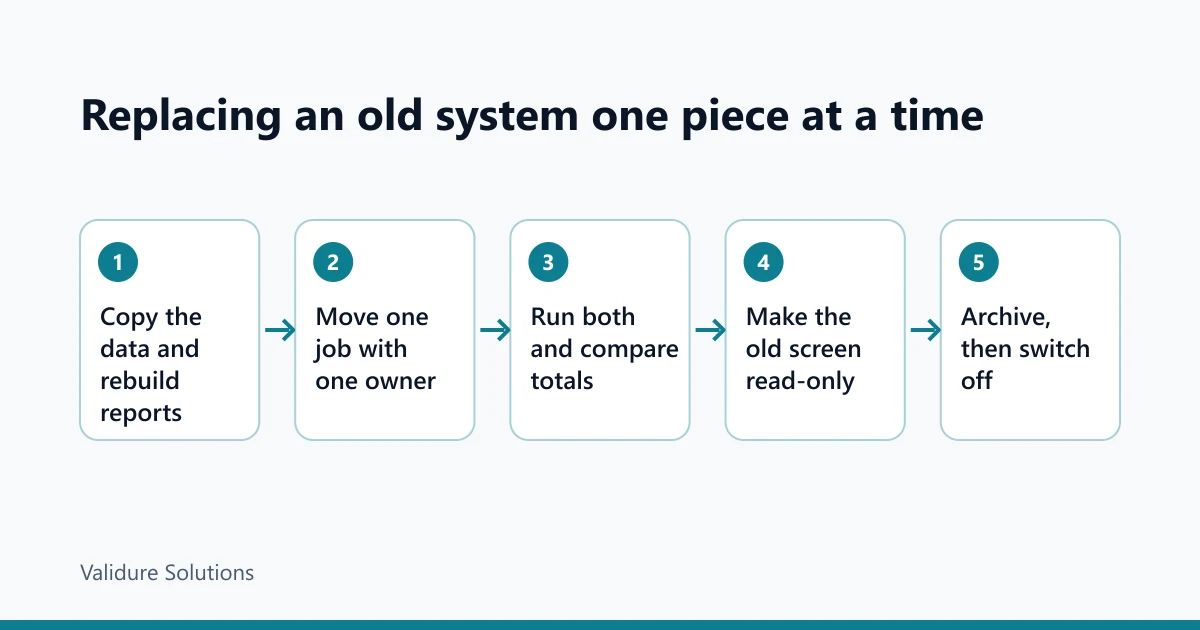
Plan B: five stages.
| Stage | What moves to the new system | Example cost (lakh) | Weeks |
|---|---|---|---|
| 1 | Reports, built from a nightly copy of the old data | 1.5 | 4 |
| 2 | Purchase orders | 3.5 | 8 |
| 3 | Stock and godown transfers | 5.0 | 10 |
| 4 | Billing and GST invoices | 6.0 | 12 |
| 5 | Customer ledger, data archive, old system off | 2.5 | 6 |
| Total | 18.5 | 40 |
Plan B costs 2.5 lakh more, about 15.6 per cent (2.5 divided by 16). It also takes four weeks longer. Most of that extra is temporary plumbing: the code that keeps the old and new systems in step while both are live, which you throw away at the end.
So why pay more? Look at what's at risk at each point.
In Plan A, you've spent all 16 lakh before anyone uses anything. If the project overruns by, say, 40 per cent, you're at 22.4 lakh (16 x 1.4) and about 50 weeks (36 x 1.4 = 50.4), and billing still runs on the old system the whole time, because there's nothing to switch to until everything is ready.
In Plan B, the first useful thing ships in week 4 for 1.5 lakh. If stage 4, the hardest one, overruns by the same 40 per cent, it costs 8.4 lakh instead of 6. That's 2.4 lakh extra, painful but contained, and stages 1 to 3 are already in daily use. If you run out of money or patience after stage 3, you have a working new system for reports, purchasing and stock, and the old one still bills. In Plan A, stopping halfway leaves you with nothing in use.
Each stage also teaches you something about the old system. By stage 4 your developers know its data well, which is when you want them touching invoices.
Where the "façade" goes in a desktop system
The textbook version assumes a web application, where every action is an HTTP request you can route. A Windows desktop app talking straight to a local database has nothing like that. This is the case the Azure guidance flags: if you can't intercept requests, the classic façade has nothing to route.
In practice there are three seams you can use instead.
The database. Most old systems are a front end over a SQL Server, MySQL or Access database. You can read from it, copy it nightly, and sometimes write to it. That's why stage 1 in the example is reports: a copy of the data is safe, read-only, and immediately useful.
The job, not the screen. Instead of routing requests, you move a whole job. From a given date, purchase orders are raised in the new system and nowhere else. Staff stop opening that menu in the old one. If you can, make the old screen read-only or remove it from the menu.
The files in between. Many old systems already import and export something: a price list, a bank file, a tally of sales. Those hand-off points are natural places for the new system to take over.
If none of these exist, for example the system stores data in a format nobody can read and you have no source code, a staged approach gets expensive. That's when a straight replacement with a careful one-time data migration can be the better call.

One owner per record, always
The hardest part of running two systems isn't code. It's data. The failure that sinks staged projects goes like this: a customer's address is changed in the new system, the old one still has the old address, the invoice goes to the wrong place, and now nobody trusts either system.
The rule that prevents it is simple to state. At any moment, each kind of record has exactly one system that owns it. The owner is where it's created and changed. The other system only reads a copy.
Write it down as a table and keep it current:
| Record | Owner until stage 3 | Owner from stage 3 | Owner from stage 4 |
|---|---|---|---|
| Items and prices | Old | New | New |
| Stock quantities | Old | New | New |
| Purchase orders | New (from stage 2) | New | New |
| Customers | Old | Old | New |
| Invoices | Old | Old | New |
| Customer ledger | Old | Old | Old until stage 5 |
When ownership of a record moves, it moves on a date, announced in advance, and the old system's screen for it becomes read-only that day. Two systems that can both edit the same record will drift apart. Not maybe. Will.
Run both, and compare totals every day
For each stage, plan a period where both systems run and you compare them. For reports, that's easy: the new report should match the old one to the rupee. For stock, it's harder, because both systems are now counting.
The check we'd run every morning during stage 3 is a plain comparison of quantities by item. If you have a developer, it looks like this (this works in SQL Server and PostgreSQL; the copy of the old data is refreshed nightly):
-- items where the new system and last night's copy of the old one disagree
SELECT COALESCE(n.item_code, o.item_code) AS item_code,
       n.qty AS new_qty,
       o.qty AS old_qty
FROM   new_stock n
FULL OUTER JOIN old_stock_copy o ON o.item_code = n.item_code
WHERE  COALESCE(n.qty, 0) <> COALESCE(o.qty, 0)
ORDER  BY item_code;
The FULL OUTER JOIN matters. An inner join would hide items that exist in one system and not the other, which are exactly the ones you need to see.
Expect differences in the first week. Each one is either a bug in the new system or one of those undocumented rules in the old one. Both are worth finding before the old system goes quiet. When the list stays empty for, say, two weeks of normal trading, that stage is ready to stop running in parallel.
Which plan fits your situation
Not every old system should be replaced in stages. Some shouldn't be replaced at all yet.
| Your situation | What we'd usually do | Why |
|---|---|---|
| Small system, few users, simple data, a quiet month available | Replace it whole, with a tested data migration | Stages add plumbing you don't need; the Azure guidance says the same |
| System runs billing or anything legally required, and you can read its database | Stages, starting with read-only reports | Billing never depends on one go-live weekend |
| You can't read the data and have no source code | One careful migration, with a long trial run on a copy | No seam to build around |
| It works, it's backed up, and the only complaint is that it looks old | Leave it; fix backups and documentation first | Looks are not a business reason to spend 16 lakh |
| The old system is mostly standard billing, stock and GST | Consider a packaged ERP for those stages instead of custom code | Writing your own invoicing is rarely the best use of the budget |
That last row is worth a second look. Often an old in-house system turns out to be mostly ordinary accounting, with a smaller part that is genuinely specific to how the business works. In that case, stages 2 to 4 might be a packaged system, such as Validure ERP, which handles GST invoices, purchases, input tax credit and double-entry accounts, and imports existing data from Excel or CSV. The custom work then shrinks to the part that's really yours.
Checks before each stage goes live
Run these before you move ownership of anything.
| Check | What to look for | What a hit means |
|---|---|---|
| Ownership table updated | Every record this stage touches has one owner from the go-live date | Two systems will both edit it; stop and decide |
| Old screen locked | The old system's screen for this job is read-only or hidden | Staff will keep using it out of habit |
| Daily comparison clean | Two weeks of normal trading with no unexplained differences | A rule in the old system hasn't been found yet |
| Month-end tested | One full month-end close done in the new system on real data | Month-end is where hidden rules live |
| Fallback written | A one-page note of how to go back for this stage only | You'll improvise under pressure |
| People trained | The two or three heaviest users have done a real day's work in it | Support calls on day one, and workarounds by day three |
| Reports agree | Totals for the stage's area match between the old reports and the new | Someone will compare them anyway, at the worst time |
Switching the old system off is a stage, not an afterthought
The last stage is the one people skip, and then the old system runs for five more years because "we might need it". Plan the switch-off with the same care as the others.
First, decide what you must keep and for how long. For a company in India, section 128(5) of the Companies Act, 2013 requires books of account and relevant vouchers to be kept for at least eight financial years before the current one. Under section 36 of the CGST Act, 2017, GST accounts and records are kept until 72 months from the due date of the annual return for the year they relate to, and longer if proceedings are pending. Income-tax has its own rules. Check the exact periods for your business with your chartered accountant, because they depend on the entity and on whether any case is open. (We checked these provisions on 19 November 2026.)
Second, keep the data readable without the old software. Plain files (CSV for each table, PDFs of the key yearly reports) will still open in ten years. The old application may not. Test that you can answer a real question from the archive, such as "show me every invoice to this customer in 2019-20", before you switch anything off.
Third, back it up like any other important data: more than one copy, one of them off site. Then turn the old system off for a month with the archive in use, before you wipe the machine.
What it really costs, beyond the quote
When you compare quotes, look for these, because they're where staged projects quietly overspend:
- The sync and comparison code between stages, which a quote sometimes leaves out because it's thrown away later.
- Your own people's time for parallel running. Comparing two systems every morning is real work for weeks.
- Changes to the old system to make screens read-only. If nobody has the old source code, budget for working at the database or menu level instead.
- The archive and switch-off, which in the example is a whole stage.
A vendor who quotes a staged plan without mentioning any of these hasn't done one before. This is the kind of work we do in our custom software projects, and the first conversation is always about the ownership table, not the technology.
Who doesn't need any of this
If your old system is a spreadsheet and three people use it, you don't need a strangler fig. Move it to a proper system in a quiet month and keep the spreadsheet as a read-only reference. If your old system works, is backed up, and isn't blocking anything, leave it alone and document it, especially the rules that live in one person's head. You'll need that whichever way you go later.
Sources and checks
Checked on 19 November 2026.
- Martin Fowler, Strangler Fig Application: martinfowler.com
- Microsoft, Strangler Fig pattern, Azure Architecture Center: learn.microsoft.com
- AWS Prescriptive Guidance, Strangler fig pattern: docs.aws.amazon.com
- Joel Spolsky, Things You Should Never Do, Part I (6 April 2000): joelonsoftware.com
- Companies Act, 2013 (section 128) and CGST Act, 2017 (section 36): India Code and CBIC GST
The record-keeping periods above are a summary, not legal or tax advice. Confirm them for your entity with your chartered accountant.
Frequently asked questions
Is a staged replacement always more expensive?
Usually a little, because of the temporary code that keeps two systems in step. In our example it was 2.5 lakh on 16. You're paying for the right to stop halfway with something working, and for no single go-live weekend that can stop billing.
How long should the old and new systems run side by side?
Per stage, until the daily comparison stays clean through normal trading and one month-end. Two weeks of clean comparisons plus a month-end is a sensible minimum for anything touching money or stock.
We don't have the source code of the old system. Can we still do this?
Often, yes, if you can read its database. You move whole jobs to the new system and lock or hide the old screens rather than changing old code. If you can't read the data either, a single careful migration is usually cheaper.
What should we move first?
Something useful and low risk. Reports built from a copy of the data are the usual first stage, because they can't damage anything and they force you to understand the data early. Leave invoicing until your team knows the old data well.
Can staff enter data in both systems during the changeover?
They shouldn't, for the same record. Each record has one owner system at a time. Double entry is how the two systems drift apart, and then nobody trusts either.
When can we delete the old system?
After the data is exported to readable files, the archive has answered real questions, and it's been switched off for a while with nobody needing it. Keep the archive for as long as the law requires for your records, which for most companies is at least eight financial years for books of account.
