
Backups and recovery for a small firm, with the numbers that decide your plan
By Validure team · · 14 min read
How a 10 to 50 person firm should plan backups. Recovery point and recovery time worked through with sums, the 3-2-1 rule and its ransomware gap, India's daily-backup rule for companies, and a monthly restore test.

Say an accounts office of 15 people keeps its books on one desktop in the corner, shared over the office network. The owner's nephew set up a backup two years ago: an external drive that copies the data folder every night. One Tuesday at 4 pm the desktop's disk dies. The nephew plugs in the drive, and finds that the last good copy is from five weeks ago. The copy job had been failing since a Windows update, and nobody had opened the drive since.
Nothing about that story is exotic. The backup existed. What didn't exist was a number for how much loss the firm could take, a second copy somewhere else, and any proof that a restore would work.
This post is for the person who looks after IT in a small firm without a dedicated IT team, and for the owner who has to decide how much to spend. It works through the two numbers that drive every backup plan, the sums that follow from them, what the law asks of Indian companies, and a routine you can run in an hour a month.
Two numbers decide everything
Every backup plan answers two questions, and the terms for them are standard. NIST, the US standards body, defines the recovery point objective (RPO) as the point in time to which data must be recovered after an outage, and the recovery time objective (RTO) as how long a system can be down before it harms the organisation's mission. In plain words:
- RPO: how much recent work can you afford to lose, measured in hours of entries.
- RTO: how long can you afford to be unable to work.
Both are business decisions. A backup tool can't tell you whether losing a day of invoices is acceptable. You can.
A worked example for RPO
Say your team enters about 40 transactions a day (sales, purchases, receipts) across a working day of 9 am to 6 pm, so roughly 4.4 an hour. This is an example, use your own count.
Your backup runs at 11 pm each night. The disk fails at 4 pm.
- The last backup holds everything up to 11 pm the day before.
- Work done between 9 am and 4 pm is gone: 7 hours.
- 7 hours x 40 / 9 hours = about 31 entries.
If re-keying an entry from paper or email takes 2 minutes, that's 62 minutes of one person's time, plus the entries nobody can reconstruct because the paper was thrown away. The worst case for a nightly backup is a failure just before the next run, which loses a full working day: 40 entries, about 80 minutes of re-keying, if everything can be recovered at all.
Now compare with a backup every hour during office time. Worst-case loss drops to about an hour, roughly 4 entries.
So the decision is simple to state. If a lost day is tolerable, nightly is fine. If it isn't, you need more frequent copies, or a system that writes to a second place as you work.
A worked example for RTO
RTO is mostly about how fast your data can travel back. Take a 120 GB data set, which is a lot for a small firm's accounts but realistic once scans and attachments pile up.
| Where the backup sits | Typical speed | Time to move 120 GB |
|---|---|---|
| External USB 3 drive | 100 MB per second | 120,000 / 100 = 1,200 seconds, 20 minutes |
| Cloud download over 50 Mbit/s broadband | 50 / 8 = 6.25 MB per second | 120,000 / 6.25 = 19,200 seconds, about 5 hours 20 minutes |
| First cloud upload over 10 Mbit/s | 10 / 8 = 1.25 MB per second | 120,000 / 1.25 = 96,000 seconds, about 26.7 hours |
The speeds are round numbers for illustration. Real drives and links run slower, and the restore needs a working machine to restore onto, which is a separate delay.
Two things follow. A cloud copy alone gives you an RTO of most of a working day on ordinary broadband. And the first upload takes more than a day, so start it on a Friday evening.
A reasonable setup for most small firms is local plus cloud: restore from the drive when it's a disk failure, restore from the cloud when the whole office is gone.
The 3-2-1 rule, and the hole in it
The most quoted rule is called 3-2-1: keep three copies of your data (the live one plus two backups), on two different kinds of storage, with one copy somewhere other than your office. It's simple enough to remember and it covers the failures that actually happen: a dead disk, a stolen laptop, a fire or flood.
For a 15-person firm it can look like this.
| Copy | What it is | Protects you from |
|---|---|---|
| 1 | The live data on the server or PC | nothing, it's the original |
| 2 | A backup drive in the office, refreshed every night | a dead disk, a deleted file |
| 3 | A cloud copy, uploaded nightly | fire, theft, flood |
The hole is ransomware. Malware that encrypts your files will also try to reach your backups. CISA, the US cybersecurity agency, notes in its ransomware guide that attackers often look for and delete or encrypt backups they can reach, and that they hunt for stored credentials to get into backup systems. It also warns that an automated cloud backup may not be enough by itself, because the damaged local files can sync up and overwrite the good copies. Its advice is to keep offline, encrypted backups of important data and to test that they can actually be restored.
A drive that is permanently plugged in is reachable. A cloud folder that syncs with your PC is reachable. So the practical upgrade to 3-2-1 for a small firm is:
- One copy that is not connected when it isn't being written. A second external drive that you plug in on Friday and take home works. So does cloud storage that keeps older versions of files and doesn't let a compromised PC delete them (some providers call this versioning or object lock; check what yours really offers).
- A separate password for the backup storage, not saved on the office PCs and not the same as anyone's email password.
- Backups kept for more than one night. If ransomware encrypts your files on Monday and your nightly job copies the encrypted files over Sunday's good copy, you've backed up the damage. Keep several generations.
How much storage you need
Keeping several generations sounds expensive until you do the sum. Say the data set is 120 GB, a full backup runs weekly, and a daily backup copies only what changed, which on a day of normal entries is about 2 GB. Again, example numbers.
- Keep 4 weekly full backups: 4 x 120 = 480 GB.
- Keep 28 daily changes: 28 x 2 = 56 GB.
- One copy of that history: 480 + 56 = 536 GB.
- Two copies (local drive and cloud): 2 x 536 = 1,072 GB, about 1 TB.
So a 2 TB external drive and a cloud plan of 1 TB cover a month of history for a 120 GB firm with room to grow.
What Indian law asks of companies
If you're a company, the Companies (Accounts) Rules, 2014 matter here. Rule 3 covers books of account kept in electronic form. As amended in 2022 (effective 5 August 2022 according to secondary summaries), it says the books must remain accessible in India at all times, and that a backup of the books must be kept on servers physically located in India on a daily basis, including where the books themselves are kept at a place outside India.
Three practical points, with the usual hedge that this is not legal advice and the exact wording should be read on the Ministry of Corporate Affairs site or checked with your company secretary or auditor.
- The word is daily. A weekly drive swap doesn't meet it for the accounts. Nightly automated backup does, if the copy lands on a server in India.
- If your accounting software is hosted abroad, ask the vendor where the daily backup copy lives. Commentary I found says the rule doesn't expressly forbid a working copy abroad, as long as access and the Indian backup are in place, but that is commentary and your auditor's reading is the one that counts.
- The same rule has an audit trail requirement for accounting software. A backup that restores the data but loses the edit log of who changed what is a weaker backup for compliance purposes.
For GST, section 36 of the CGST Act asks registered persons to keep accounts and records until 72 months after the due date of furnishing the annual return for the year they relate to. Sources quote the trigger date slightly differently (due date versus actual filing date), and records tied to an appeal or proceeding can need keeping longer, so read the section itself. As an example of the length: for a financial year, six years from the annual return due date means a financial year's invoices and ledgers have to be retrievable for about seven years after the year starts. A backup you throw away after 30 days is fine for disaster recovery but is not an archive. Keep a yearly closed-books export separately, and test that you can open it with whatever software you'll have in six years. Plain CSV and PDF outlast most software.
Test the restore, because that's the backup
A backup you haven't restored is a hope. The routine takes an hour a month.
- Pick a date at random from the last month, not last night's.
- Restore the accounts data to a different folder or machine, not over the live data.
- Open it. Check the closing balance of the bank ledger and the invoice count for that day against what you know.
- Write down the time it took from start to usable. That's your measured RTO. Compare it with the one you wanted.
- Record it in a log.
The log is a table with a few columns, nothing fancy:
| Date tested | Backup date restored | Time taken | Bank balance matched | Invoice count matched | Done by |
|---|---|---|---|---|---|
| 2026-11-05 | 2026-10-19 | 42 minutes | yes | yes | Meera |
Between tests, check that the job ran. If you or your IT person can run a script, this is the idea in pseudocode: look at the newest file in the backup folder and complain if it is older than your RPO allows.
newest = latest modified time of any file in the backup folder
age_hours = now - newest, in hours

if age_hours > 26:      # nightly job, plus 2 hours of slack
    send an email to the owner and the IT person
If you can't script it, a calendar reminder every Monday to look at the date on the newest backup file is the same check with a person in it. The five-week silent failure in the opening is exactly what this catches. Note the check looks at the backup's age, not at whether the job says it succeeded, since backup software can report success while copying nothing.

Backups of software you don't host
Many firms now use hosted tools for accounts, HR and bookings. That doesn't remove the question, it moves it. Ask each vendor, in writing:
- How often is my data backed up, and how long are the copies kept?
- Where are they stored (country matters for the Rules above)?
- Can I export all my data in a readable format on my own schedule?
- What happens to my data, and for how long, if I stop paying?
The export question matters most. A vendor's backup helps if the vendor's systems fail. It doesn't help if your account is closed, a bill goes unpaid or a user deletes the wrong thing. For your own safety, run a full export of the books at month end and put it on your offline drive.
This is where an audit trail earns its keep too. After any restore, you need to know which entries were made after the backup you restored from. In Validure ERP every entry is recorded in an audit trail, so the team can see what was entered in the gap and re-enter it, rather than relying on memory. For how backups are arranged for your hosted setup, ask us and we'll tell you what applies to your case instead of assuming.
Do you need all this? A solo consultant with a single laptop and a hundred invoices a year gets most of the protection from one cloud-synced folder with version history plus a monthly export to a drive. The plan above starts to pay off at about five people sharing data, or any time the loss of a day of entries would hurt.
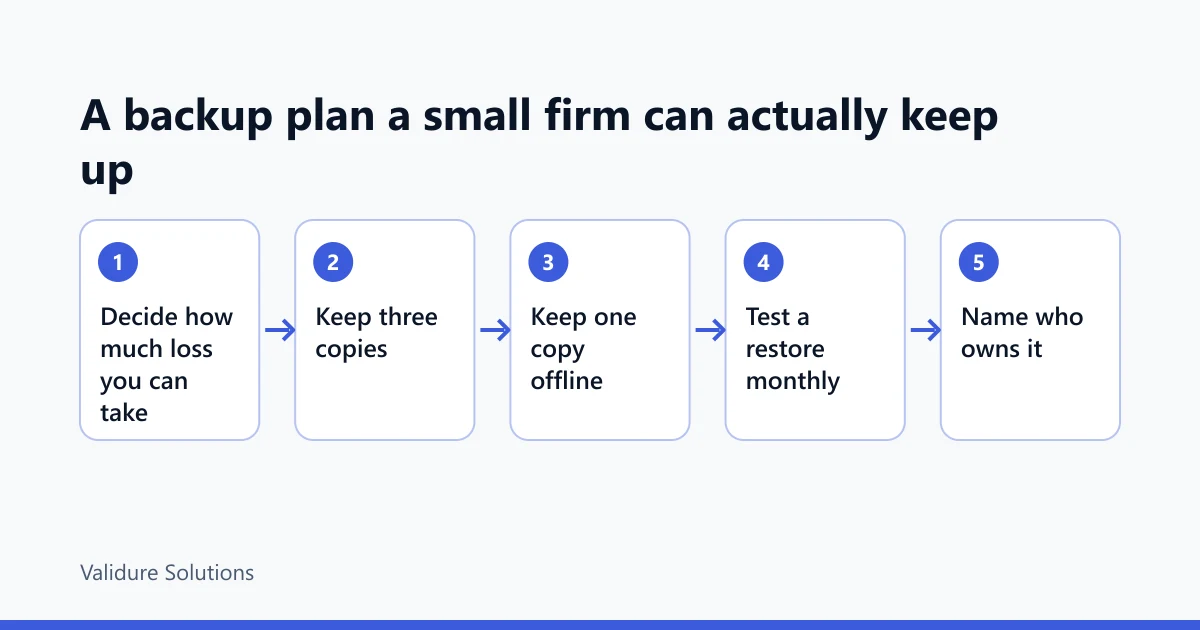
A plan you can put on one page
Write the answers down once and put them where the next person can find them.
| Question | Example answer (replace with yours) |
|---|---|
| What is our RPO? | One working day, so nightly backup, hourly during office hours for the accounts |
| What is our RTO? | Half a working day |
| Where are the three copies? | Live server, office drive, cloud storage with version history |
| Which copy is offline? | The Friday drive that goes home with the owner |
| Who checks the newest backup date? | Meera, every Monday |
| When is the restore test? | First Wednesday of each month, logged |
| How long do we keep what? | 4 weekly fulls, 28 dailies, yearly closed-books export for at least seven years |
If the RTO you wrote and the restore time you measured don't agree, that's the finding. Either spend a little to bring the time down (a faster local drive, a spare machine ready to restore onto) or change what you promise yourself and your clients.
Sources and checks
Verify rules against the official texts before relying on them: the Ministry of Corporate Affairs for the Companies (Accounts) Rules, 2014, including Rule 3 as amended in 2022; the GST portal and the CBIC site at cbic.gov.in for section 36 of the CGST Act; the NIST glossary at csrc.nist.gov for the definitions of recovery point and recovery time objectives; and the CISA #StopRansomware pages for guidance on offline, encrypted and tested backups. The 3-2-1 rule is widely quoted by vendors, and I did not find it stated in an official CISA or NIST page, so treat it as common practice rather than a standard. Sizes, speeds and entry counts above are illustrations. Replace them with your own.
Frequently asked questions
Is a cloud sync folder like Google Drive or OneDrive a backup?
Not on its own. Sync copies changes both ways, so a deleted or encrypted file is deleted or encrypted in the cloud too. It becomes part of a backup plan if version history is turned on and you know how far back it goes.
How often should a small firm back up its accounting data?
As often as the RPO you can live with. If losing a day of entries is acceptable, nightly. If not, hourly during office hours, or use software that stores your data in a second place as you work. Companies in India should also meet the daily-backup point in Rule 3 for their books of account.
Do I need to keep the backup in India?
For companies' books of account, Rule 3 of the Companies (Accounts) Rules asks for the daily backup to be on servers physically located in India, as amended in 2022. Check the current text with your auditor, and ask hosted vendors where backups are stored.
How long should I keep old backups?
Keep recent ones for recovery, about a month of generations is a sensible start. Keep separate yearly exports for the statutory period. For GST records that is 72 months from the annual return due date under section 36, longer if a proceeding is pending. Confirm the other periods that apply to you with your accountant.
Who should own backups in a firm with no IT team?
One named person, with a deputy, and the owner reading the restore log each month. Backups owned by everyone are checked by no one.
