
What if the one person with all the passwords is suddenly gone? An emergency access plan for a small firm
By Validure team · · 14 min read
How a 10 to 50 person business sets up emergency access to email, domain, bank, GST and cloud accounts so that no single person can lock it out. A register of systems, break-glass admin accounts, sealed recovery codes, password manager emergency access, the domain expiry trap, and a 90-day drill, with worked examples.

Say a 30-person engineering firm has one person who "does the computers". He set up the email, bought the domain, holds the admin login for the accounting software and has the director's digital signature token in his drawer. One Monday he's in hospital, unreachable for two weeks. By Wednesday a new joiner needs a mailbox, a client's portal wants a password reset, and the domain renewal reminder is sitting unread in his inbox.
Nobody did anything wrong. The firm just never asked a simple question: if this person disappeared tomorrow, how would we get in?
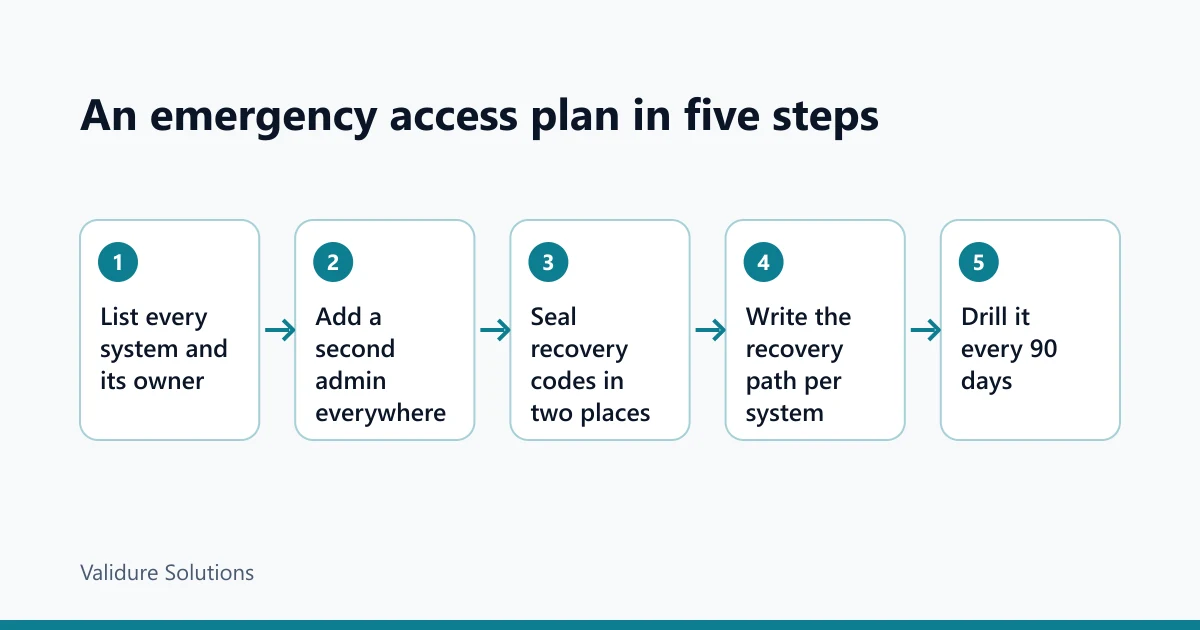
The answer for most small firms is a short plan, not a new product. Make sure every important system has at least two people who can administer it. Keep sealed recovery codes in a known place. Write down, per system, how you'd recover it. Then test the plan every three months, because a plan nobody has tried is a guess. This post works through each part with examples, for the owner who has to make it happen and the IT person who should want it too.
Why stronger security makes this sharper
Ten years ago, if the admin was away, someone found the password on a sticky note. Bad security, but it got you in. Good security closes those doors. Two-step sign-in sends the code to one person's phone. A security key sits on one person's key ring. Recovery emails go to one person's personal address. Each step makes it harder for an attacker and, by the same mechanism, harder for your own firm when that one person is missing. We made the case for passkeys and security keys in our post on why OTP codes still get phished. This post is the other half: once sign-in is strong, plan for the day the person holding it is gone.
The large providers say the same thing in their own admin guides. Google's Workspace guidance says an organisation should have more than one super administrator account, each managed by a separate person. Microsoft's guidance for its cloud directory goes further and recommends at least two dedicated emergency access accounts, kept apart from anyone's daily login.
Step 1: list what you'd need to get into
You can't plan access to systems you haven't listed. Sit down with whoever runs things today and fill in a register. Here's an example for a firm like the one above.
| System | Who administers it today | Second admin | Where recovery codes are | How it's recovered if both are missing |
|---|---|---|---|---|
| Email and calendar | IT person | None | IT person's phone | Provider's domain ownership process |
| Domain name and DNS | IT person, on his personal email | None | Unknown | Registrar's support, with proof of ownership |
| Accounting software | IT person | Accounts head (user, not admin) | None | Vendor support |
| Bank net banking | Director (approver), accounts head (maker) | Partner | Bank's own process | Branch visit with board resolution |
| GST portal | Director as primary authorised signatory | None | OTP on director's mobile | Amendment by an existing signatory |
| Company digital signature token | Director | None | Token in IT person's drawer | Apply for a new certificate |
| Website hosting | Web agency | IT person | Agency's records | Agency contract |
| Password manager | IT person | None | IT person | None |
This example has eight systems. Five have no second admin, and two have recovery details nobody else can find. That's typical. The register itself is the first fix, because once the gaps are written in a table, they're obvious.
Two rows stand out. The domain on someone's personal email is the most dangerous line, for reasons below. And a password manager with one admin takes several other rows with it if lost.
Keep the register on paper or in a shared document. It lists systems, people and where codes are kept. It never lists the passwords themselves.
Step 2: give every important system a second admin
The rule is simple: no system that matters should depend on one person. In practice that means a second admin account, held by a different person, with its own sign-in method.
Two details make this work. The second admin should be a separate account, not a shared login, so you can see who did what. And it should use its own two-step method. If both admins get codes on the same phone, you have one point of failure with two names on it.
For email and your cloud directory, go a step further and set up a break-glass account. That's an admin account nobody uses day to day, kept only for emergencies. Microsoft's published guidance for these accounts is a good model even if you use another provider:
| Microsoft's guidance for emergency access accounts | What it means for a small firm |
|---|---|
| Keep at least two | One can fail; two rarely do at once |
| Don't tie them to one person or their phone | Codes and keys live in the safe, not on a staff phone |
| Use phishing-resistant sign-in, such as a FIDO2 security key, different from normal admin accounts | Buy two security keys just for this |
| Store credentials in secure, separate places | Office safe and the director's home safe, or a bank locker |
| Alert on every sign-in | Any use of the account sends an email to two people |
| Test at least every 90 days | Put it in the calendar now |
For a 30-person firm, two hardware security keys for the break-glass account cost a few thousand rupees. Compare that with two weeks of not being able to add a user or reset a password.
Some systems don't allow true second admins, or charge more for them. Ask the vendor what happens if your only admin leaves. Their answer tells you how hard recovery will be, and it's a fair question to ask before you sign, as we wrote in questions to ask a software vendor.
Step 3: seal the recovery codes
Most services offer backup codes when you turn on two-step sign-in: a set of one-time codes that let you in without the phone. They're the cheapest insurance you'll ever buy, and they're usually lost within a month of being generated.
Here's a routine that works:
- Print the backup codes for each admin and break-glass account. Don't save them as files on a laptop.
- Put each set in an envelope, seal it, and have two people sign across the seal.
- Keep one set in the office safe and a second in a different place, such as a director's home safe or a bank locker.
- Keep a log inside the safe: date, who opened which envelope, why, and that the codes were replaced afterwards.
The signed seal shows if an envelope was opened, which tells you to generate new codes. A used backup code doesn't work twice, so after any use, make a fresh set and reseal.

Step 4: let the password manager hand over, on a delay
If your firm uses a password manager, it's either the best part of this plan or the biggest hole. One admin with the only master password is a hole.
Business plans usually let you have more than one admin and recover a member's vault through the organisation. Some products also have a personal emergency access feature. Bitwarden, for example, lets a paid user name a trusted contact who can request either view access or a full takeover of the vault. The owner sets a waiting period. If the owner doesn't reject the request within that time, access is granted. Other products have their own versions, often called an emergency kit or account recovery, so check yours.
The waiting period is the clever part. Say you set it to two days. If the IT person is in hospital, the director requests access on Monday and gets in on Wednesday. If someone tries the same trick while the IT person is fine, he gets a notice and rejects it.
Example timeline for a two-day wait:
| Day | What happens |
|---|---|
| Monday 10:00 | Director requests emergency access |
| Monday to Wednesday | IT person gets a notice; no response because he's unreachable |
| Wednesday 10:00 | Wait ends; director gets the access type that was granted |
Too short a wait and a stolen phone could be enough; too long and the office is stuck. Two to seven days suits most small firms.
Step 5: don't lose the domain
Of everything on the register, the domain is the one that hurts most if it goes, because email, the website and often sign-in to other services all hang off it. And it's frequently registered by whoever set things up first, on their own email address, with their own card for renewal.
ICANN's Expired Registration Recovery Policy, which covers generic domains like .com, gives you some safety margin, but less than people assume. Registrars must send renewal reminders about a month and about a week before expiry, and again shortly after. If the name is deleted, most generic-domain registries offer a 30-day redemption period in which the registrar can restore it, usually for an extra fee. During that time the domain doesn't resolve, which means your email stops arriving. Country domains such as .in have their own rules, so check with your registrar.
The trap is that every one of those reminders goes to the email address on the registration. If that's the missing person's personal address, nobody else sees them.
Three fixes, in order:
- Move the registration into an account owned by the company, with a role address such as an admin mailbox that two people read.
- Turn on auto-renew with a company card, and note the card's expiry date in the register.
- Renew for more than one year at a time, so a missed reminder isn't fatal.
If the domain is held by a web agency, ask them to move it into your company's account. It's your name; you should hold it.
The Indian systems that need their own line
Some of the accounts that matter most to an Indian business aren't IT systems at all, and they're often tied to one named person by design.
On the GST portal, one-time codes go to the registered mobile and email of the primary authorised signatory. Changing the signatory is a registration amendment, and an existing signatory has to log in and verify it with a digital signature or an electronic verification code. So the time to add a second authorised signatory is now, while the first one can still sign. Check the current steps in the portal's own user manual, since screens change.
Company digital signature certificates are issued to a named person and usually sit on a USB token. A token in a drawer is one person's key to filings. Record whose name each certificate is in, where the token is, and when it expires. If a person leaves for good, the usual route is a new certificate for the new signatory, which takes time, so don't wait for the day you need it.
Bank net banking often already has two people, a maker who enters payments and an approver who releases them. That's good for fraud control, but check what happens if the approver is away: is there a second approver set up, and does the bank have the board resolution it would need to add one?
Step 6: drill it every 90 days
Microsoft's guidance is to validate emergency accounts at least every 90 days and after any change in IT staff. That's a sensible rhythm for the whole plan. A drill takes about an hour for a small firm. For example:
| Check | What to look for | What a hit means |
|---|---|---|
| Break-glass sign-in | Can the second person sign in with the sealed key, from the office? | If not, fix before anything else |
| Alert on use | Did the sign-in alert reach two people? | Without it, misuse would go unseen |
| Register up to date | Any new system, leaver or role change since last time? | Add rows; remove leavers' access |
| Sealed envelopes | Seals intact, log matches what's inside | An opened seal means new codes |
| Domain | Auto-renew on, card valid, contact is a company address | Fix now; it's the one that takes everything down |
| Password manager | Second admin can open a shared vault; emergency contact still correct | Update after any staff change |
After any real emergency use, do a short review: who used which account, what did they change, and was it the right call. Then reseal.
When someone leaves on bad terms
The same plan handles the harder case, an admin who leaves angry. With a second admin already in place, you can remove the leaver's access on their last day without needing their cooperation. Change the shared vault items they could see, rotate any shared passwords, and check that recovery emails and phone numbers on every system point to the company, not to them.
This is where HR records and the IT register meet. Validure HR keeps employee records with role-based permissions, so whoever manages access can see who is leaving without being an admin of everything. Use each exit as the trigger to walk the register row by row.
Who doesn't need all of this
A five-person firm with one email provider and an accountant who handles GST can do a shorter version: a second email admin, sealed backup codes, the domain in a company account, and a calendar reminder twice a year. The full register starts to pay off around ten people or five important systems, whichever comes first.
Either way, tell the two or three people who hold keys what's in the safe and where the register lives. Then let your IT person go on holiday.
Sources and checks
Provider guidance changes, so read the current pages. Microsoft's recommendations are in Manage emergency access admin accounts on Microsoft Learn. Google's are in its security best practices for administrator accounts. Domain expiry rules for generic domains are in ICANN's Expired Registration Recovery Policy; for .in domains check NIXI and your registrar. Bitwarden's feature is described in its emergency access help page. GST registration amendments and authorised signatories are covered in the user manuals on the GST portal; we checked the signatory steps against secondary guides, so confirm them there. The firm, the register and the timelines in this post are examples, checked on 11 November 2026.
Frequently asked questions
What is a break-glass account?
An admin account that nobody uses day to day, kept only for emergencies when normal admins can't sign in. It uses its own sign-in method, such as a security key kept in a safe, and every use should send an alert to more than one person.
How many admins should a small business have?
At least two for every system that matters, held by different people with different sign-in methods. Google recommends more than one super administrator for Workspace, and Microsoft recommends at least two emergency access accounts on top of normal admins.
Is it safe to write down backup codes?
Yes, if they're printed, sealed in an envelope signed across the seal, and kept in a safe with a log of who opened it. That's far safer than codes saved in a file on someone's laptop or not kept at all.
What happens if our domain expires?
For generic domains like .com, registrars send reminders before and after expiry, and most registries offer a 30-day redemption period after deletion, usually with a fee. During that time email and the website stop working. Keep the domain in a company account with auto-renew on.
How do we change the GST authorised signatory if the current one is unavailable?
The change is a registration amendment that an existing authorised signatory has to verify. That's why you should add a second signatory while the first can still sign. If no signatory can act, ask your tax practitioner or the GST helpdesk about the current process.
How often should we test the plan?
Every 90 days, and after anyone with access joins, leaves or changes role. A drill takes about an hour for a small firm.
